
This setting can be used to prevent a member from logging into the portal.
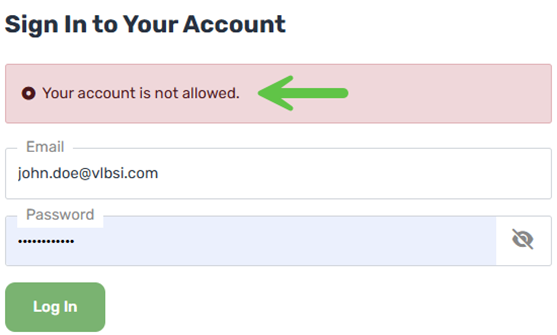
From the Umbraco Backoffice
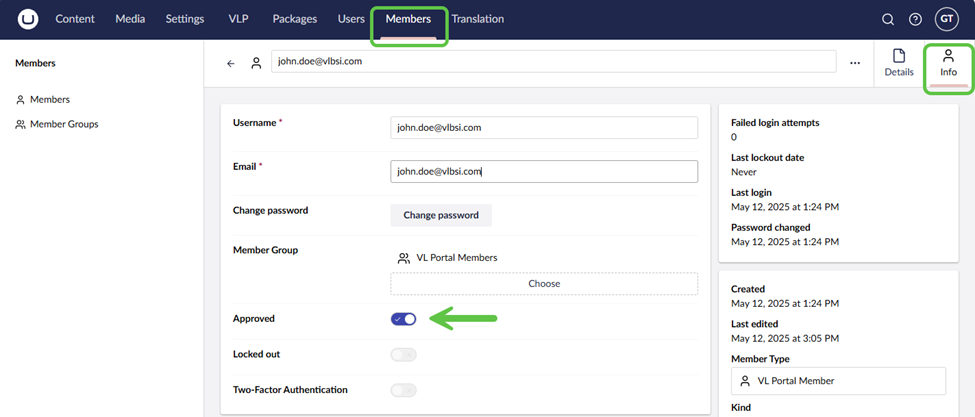
Navigate to the Members section and open the member record. From the Info tab, set the Approved field. On (True) = Member can login.
From Dynamics 365 UI
{more info needed here}