
The Member’s password can be changed using either the Umbraco Backoffice “Change password” function or via an API call.
From the Umbraco Backoffice
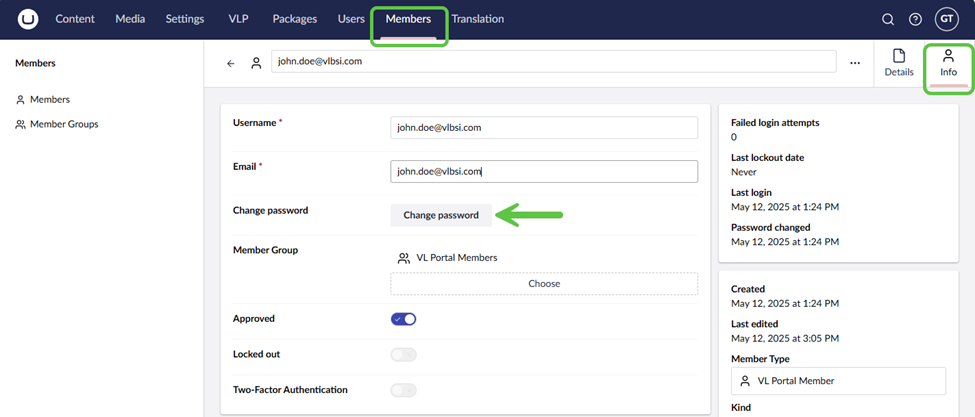
Navigate to the Members section and open the member record. From the Info tab, click Change Password and then enter the new passwords and then click Save.
From Dynamics 365 UI
{more info needed here}