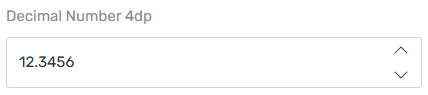
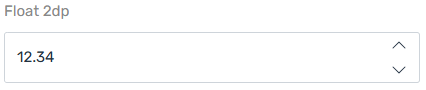
The Decimal Number widget represents Dataverse “Decimal” and “Float” column types.
Advanced Options
| Property | Description |
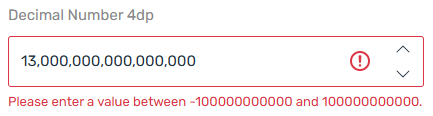
| Minimum Value | The minimum value allowed for the decimal number input. Defaults to the Minimum value on the Dataverse column definition. |
| Maximum Value | The maximum value allowed for the decimal number input. Defaults to the Maximum value on the Dataverse column definition. |
| Precision | The number of decimal places allowed for the decimal number input. The maximum precision for the Decimal widget while representing a Decimal column is 10. The maximum precision for the Decimal widget while representing a Float column is 5. |
ProTip: In Microsoft Dynamics 365 / Dataverse, decimal fields automatically apply standard rounding when a value exceeds the defined precision. For example, a field configured with two decimal places will round a value such as 1.245 to 1.25 upon save. This rounding behavior is enforced by the platform and cannot be modified to round down (truncate) instead. Where truncation or alternative rounding logic is required, the value must be pre-processed prior to persistence - typically via server-side logic, integration workflows, or client-side scripting - to ensure the stored value aligns with the desired calculation rules.
Examples