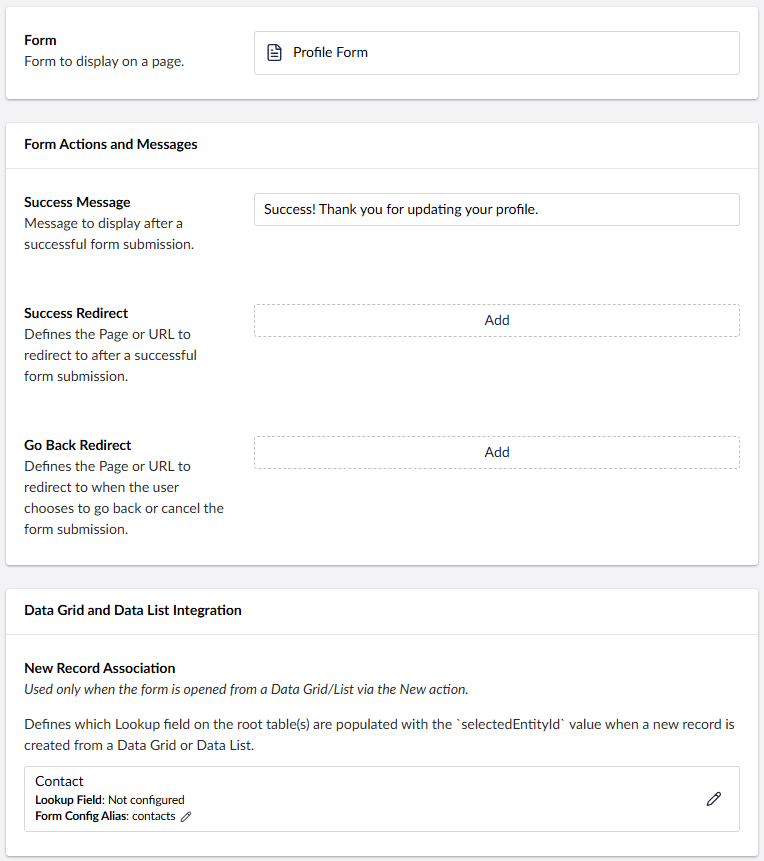
The Form Widget is used to retrieve, display, and submit Dataverse data. After adding the widget to a page, you can configure the form’s actions, behaviour, and messages.
ProTip: See the How To Guide for examples on how to configure the Form widget.
| Property | Description |
| Form | The Umbraco form that will be displayed on the page. |
| Success Message | The message displayed after the form is submitted successfully. |
| Success Redirect | Defines the page or URL to which the user is redirected after a successful form submission. |
| Go Back Redirect | Defines the page or URL to which the user is redirected when they choose to go back or cancel. The behaviour depends on the type of Button configured on the form. |
| New Record Association | Defines the Lookup column on the root table that is populated with the selectedEntityId value when a new record is created from a Data Grid or Data List. Note: This setting is used only when the form is opened from a Data Grid using the New action. |
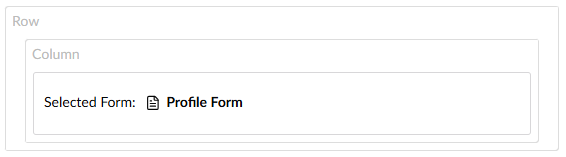
Example
A “Profile Form” added to a page.
Form widget configuration.