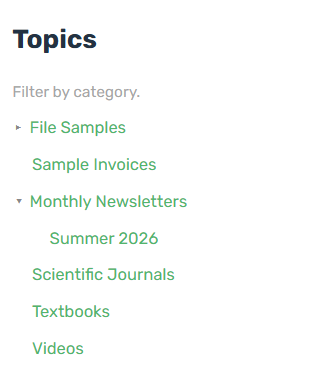
The Search Navigation widget displays the hierarchical list of Categories.
| Property | Description |
| Heading | The heading displayed in the search navigation. |
| Description | The description displayed in the search navigation. |
| Categories | The selection of top-level categories to be displayed. |
| Depth | The number of child levels to display. Set to 0 to show only the selected categories. |
| Sort By | Determines how categories are sorted (by content tree order or alphabetically by name) |
See Portal Search Configuration for details on configuring the categories and searchable resources.
Note: The Search Navigation widget must be placed on the same page as the Search Results widget.
Example